 DROPZONE
WARDOGS / TACTICAL TOOLS
WARDOGS tools, ready for your next match.
Dropzone brings WARDOGS maps and reference tools into one Windows desktop app. Download it free, choose WARDOGS and open the tool you need.
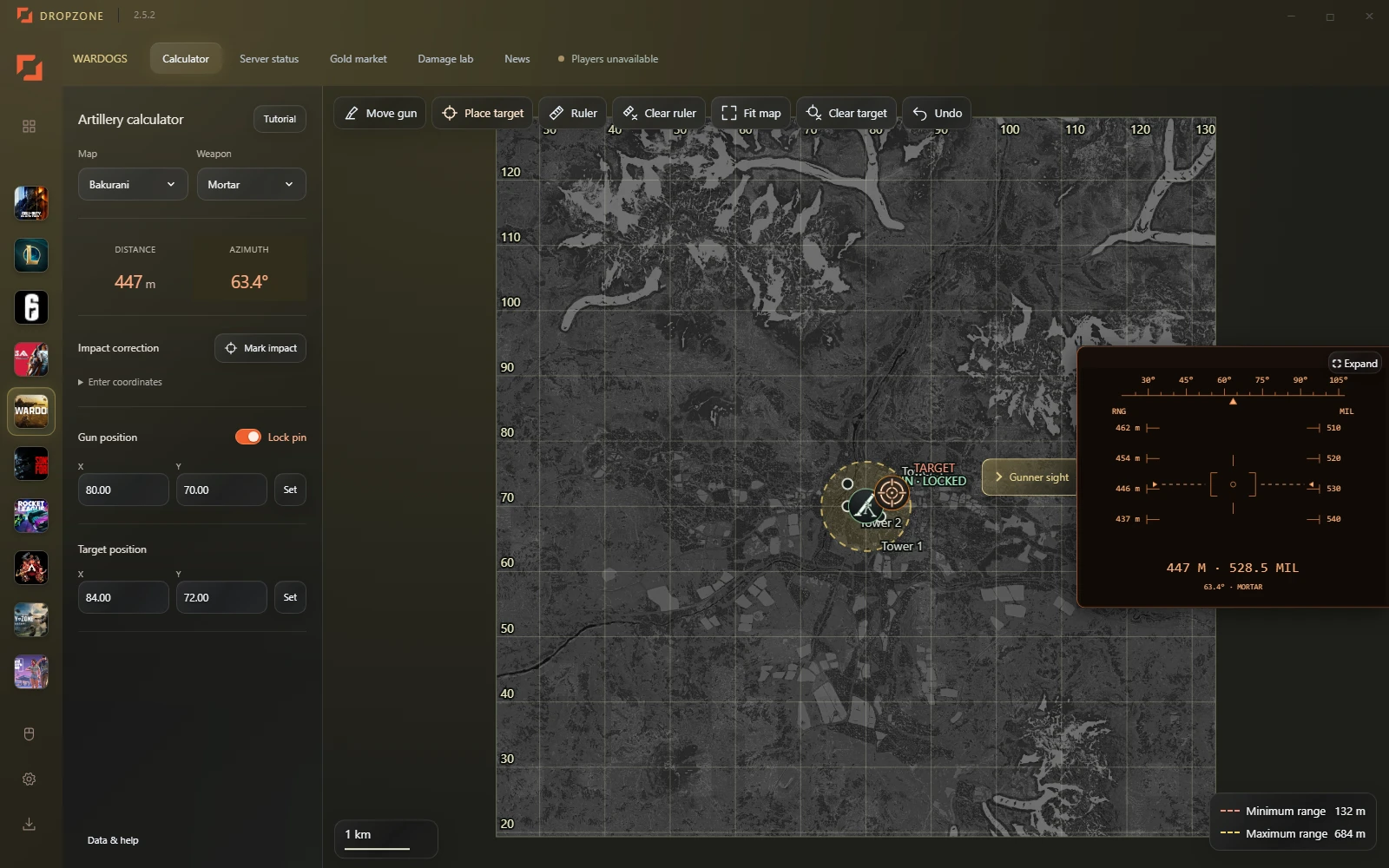
Artillery calculator
Choose Bakurani, Ozeti or Zestafona. Place your gun, then click a target to read horizontal distance and azimuth. Move the target for your next shot, or explicitly move the gun when you relocate.
Select Mortar or SPH-2 to use the supported firing settings. Out-of-range targets are flagged. The calculator uses flat-ground reference data: it does not compensate for terrain height or predict whether a shot clears obstacles.
Weapon damage comparisons
Filter weapons by type, select ammunition, armor and range, then choose a body region on the human model. Compare damage and estimated hits needed under the selected setup.
These are community-data calculations, not a guarantee of an in-game outcome. Check source dates and supported ammunition. Missing data is shown as unavailable.
Server information and gold-market history
Browse available server information and inspect historical gold prices with an interactive chart. External feeds can be delayed or unavailable; use the displayed freshness information before relying on a result.
How to get started
- Download and install Dropzone for Windows.
- Select WARDOGS from the navigation pane.
- Open the calculator, Damage Lab, server browser or gold market.
These tools run inside the desktop app. This page explains their features; it is not a browser-based calculator. Dropzone is independent and is not an official WARDOGS product.